
Academy
The club's academy,
without a single spreadsheet.
Requests, groups, attendance, renewals and families kept informed. Everything that today lives in a spreadsheet, a notebook and ten WhatsApp groups goes through the club's app. And stays on record.
- Sign-up from the family's phone
- Attendance taken by the coach in seconds
- Term renewal without chasing anyone
This is how it goes in the app
From request to renewal, without touching a spreadsheet.
The family signs up from their phone.
Adult or child, one or two days a week, level and the time slots that suit them. With several children, they all sign up from the same account.
Before
A paper form that someone has to type up.Sign-up 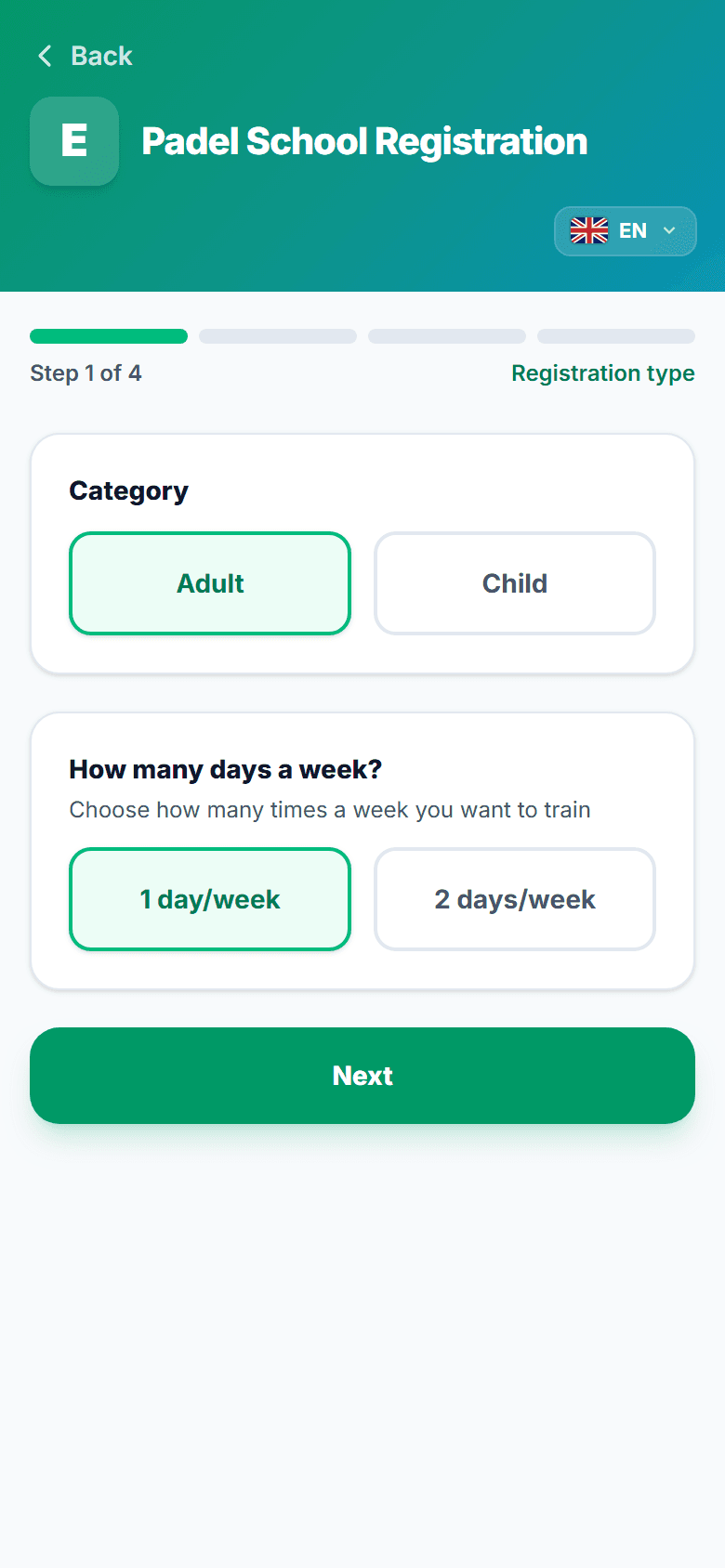
The club sees it under Requests, with everything it needs.
Level, days per week, age, guardian and term. Accept it and place it in a group with one tap. The family gets the confirmation.
Before
One call to ask the age and another to confirm the time.Requests 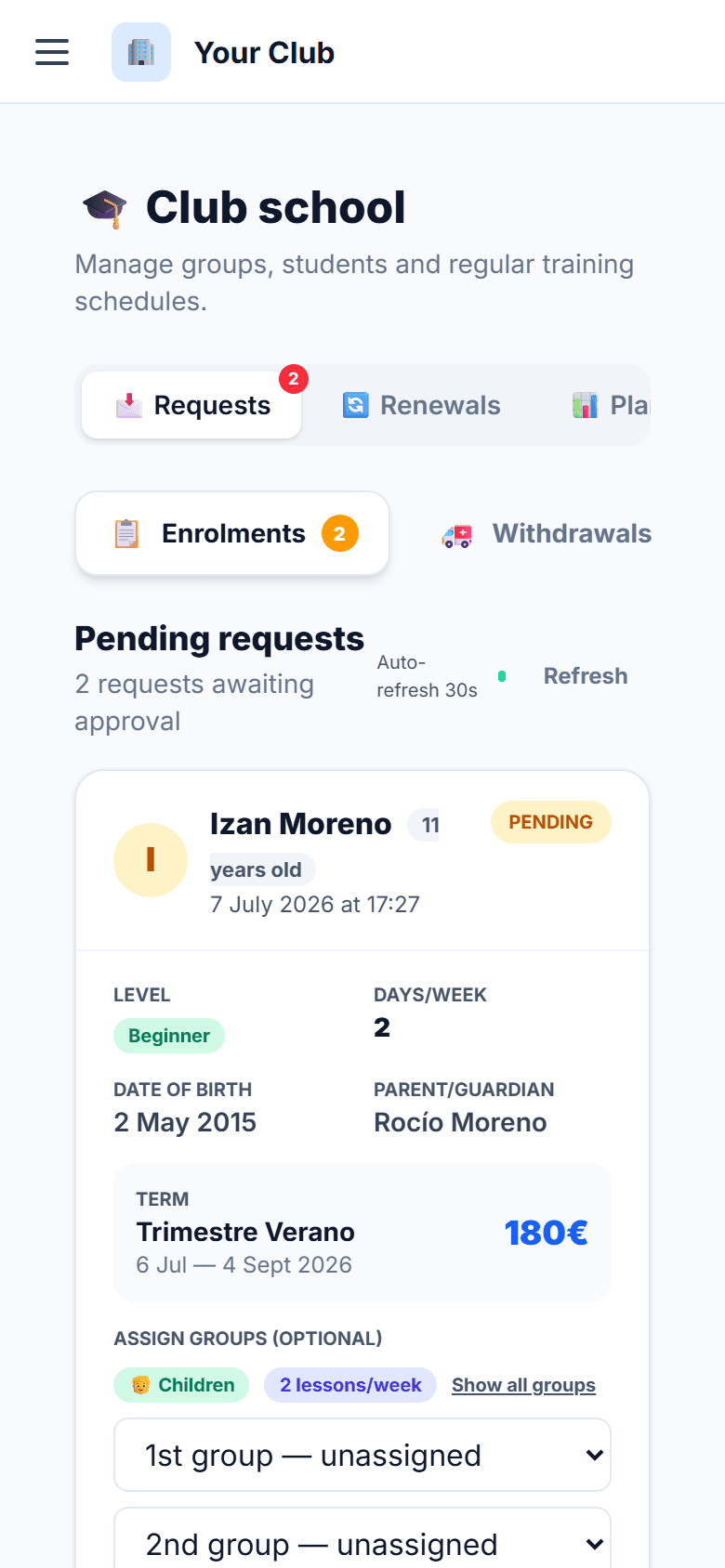
Every group, with its students, its coach and its schedule.
Groups by age and level, term sessions generated automatically, and the club's planning in view: day, week or month.
Before
One spreadsheet tab per group, and nobody knows which one is current.Groups 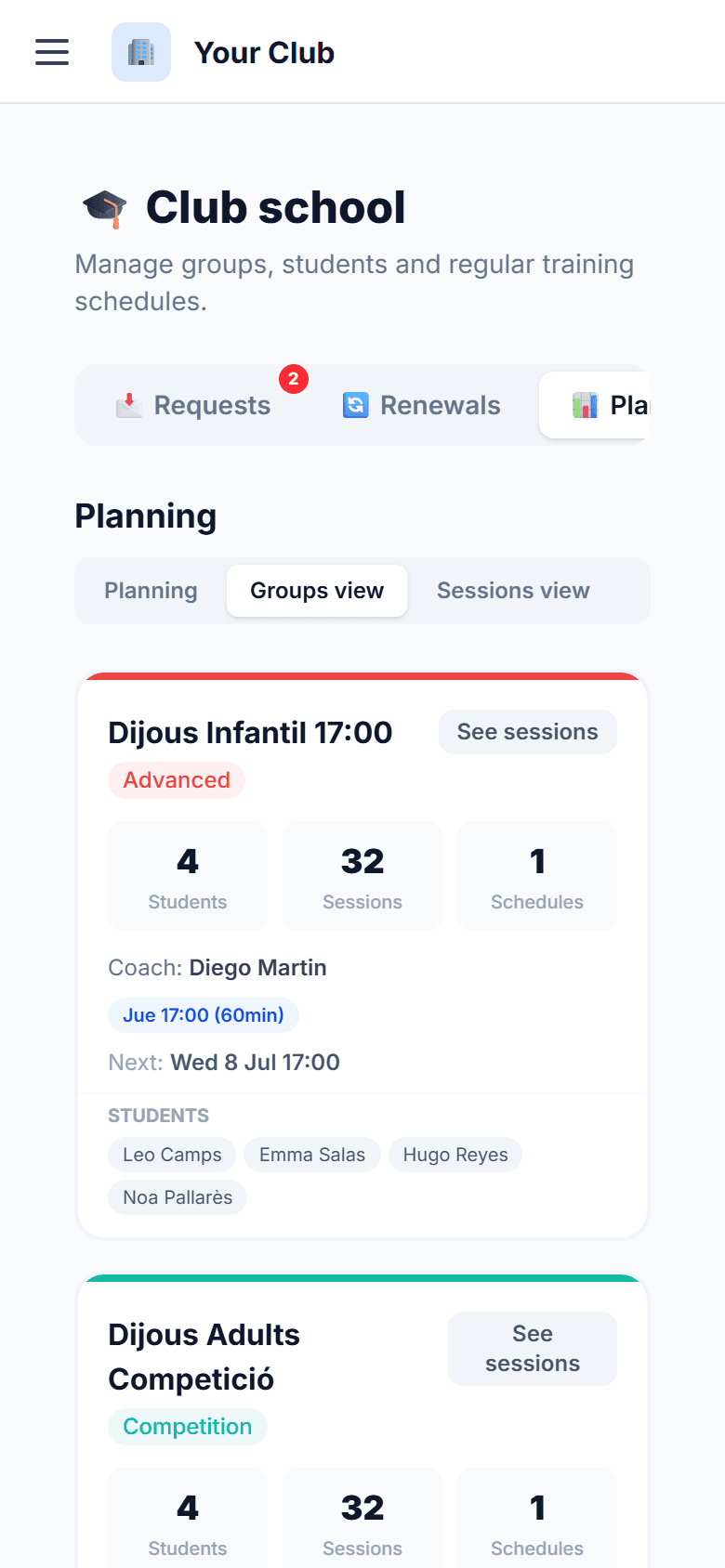
The coach takes attendance from the court.
Who came, who didn't, who makes up. Saved automatically. If one day they can't make it, they request a substitute from the app and the club knows.
Before
A folded sheet in the tracksuit pocket.Attendance 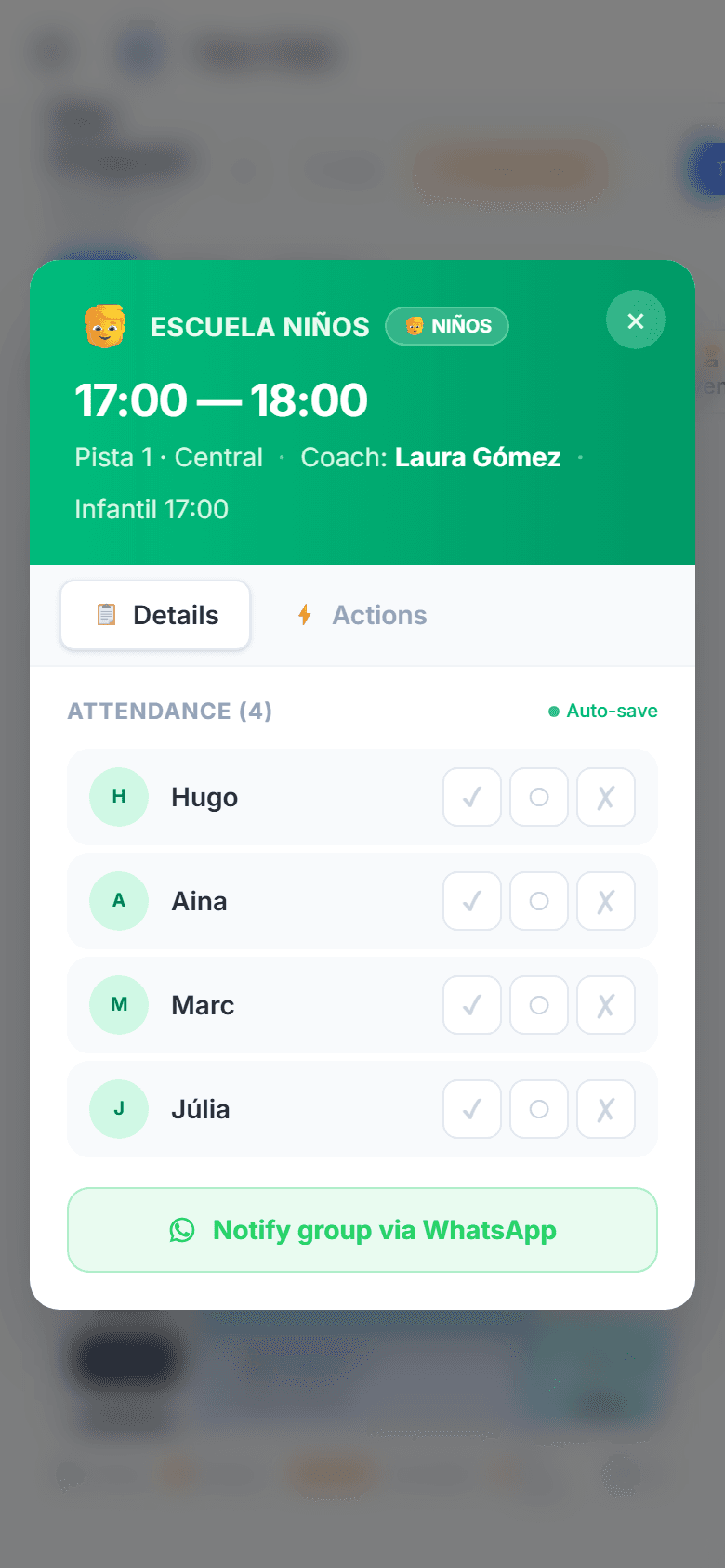
The family knows what's on and says if they can't come.
Next class, group, attendance and term, on their phone. One tap on “Can't make it” and the coach knows before walking onto the court.
Before
“Is there class today?” on WhatsApp at 16:45.Family space 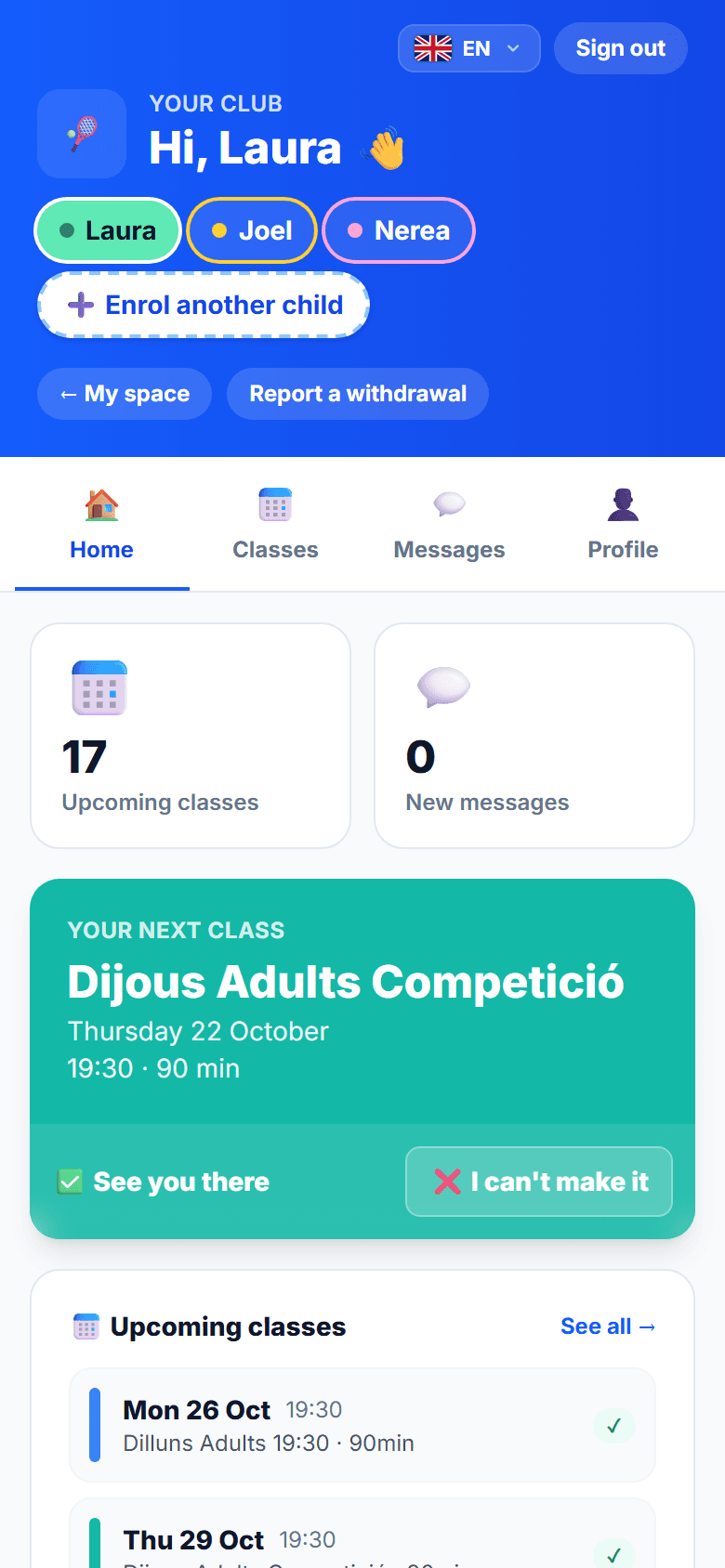
Term renewal, in three steps.
Before the term changes, the club sees who's staying, who hasn't answered and which spots are left in each group. One reminder to those missing, and done.
Before
A month of messages to find out who's staying in September.Renewals 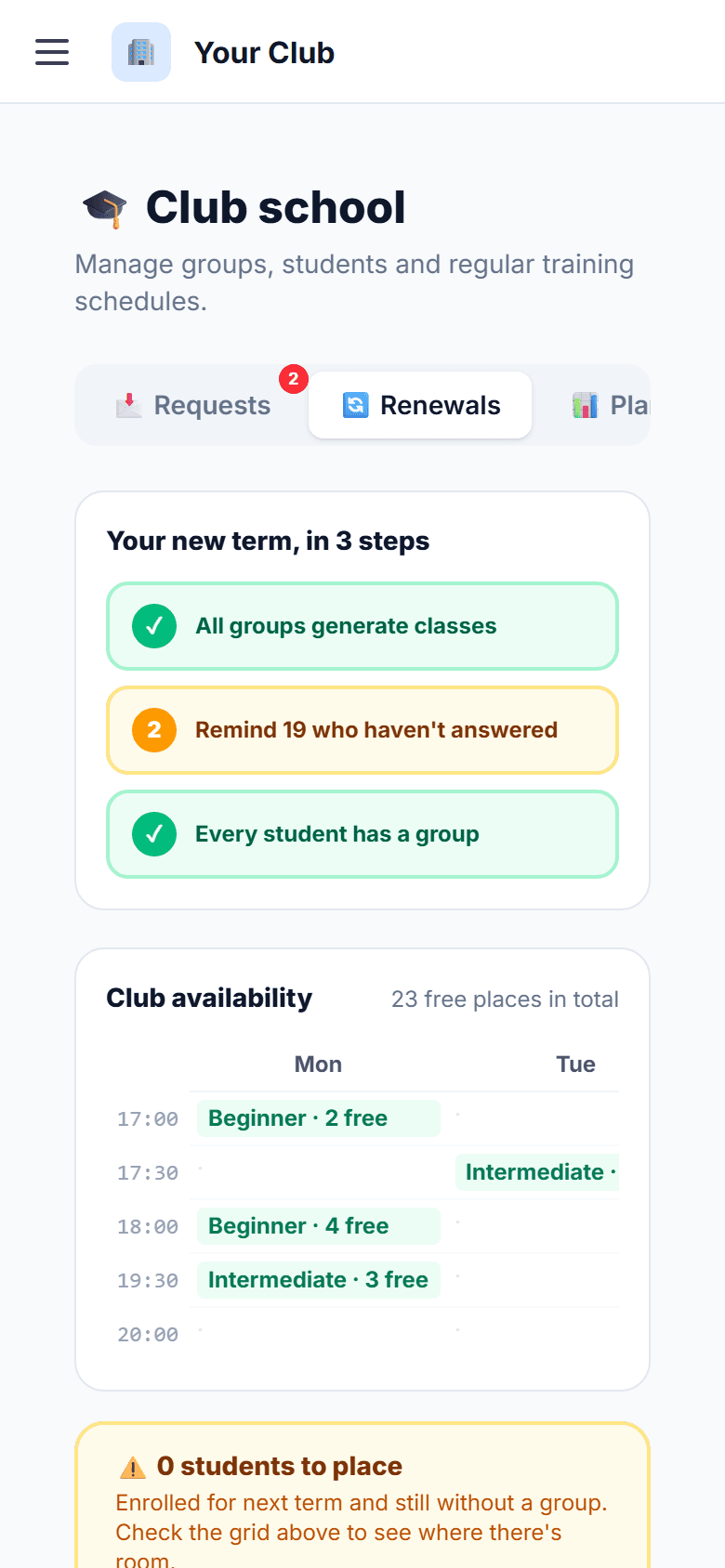
What stops happening
A whole academy fits in the club's phone.
What doesn't fit on this page you see in the demo, with your academy's real groups and schedules.
Book a demoTyping sign-ups from paper into a spreadsheet.Calling families to find out who's staying next term.Finding out on Monday that one group has six and another has two.Writing attendance on a sheet that ends up soaked.
Questions
What we get asked about the academy.
Do families have to install anything?
They open the club's link and have it on their phone like an app, with the club's name and icon. That's where they see the classes and get the notifications.
What if a student has siblings?
They sign up from the same family account. Each child has their own group, attendance and term; the family sees it all together.
What about the students we already have in a spreadsheet?
We load them when we set up the club: students, groups, schedules and coaches. You don't touch a thing.
Can the term be paid in instalments?
Yes. The reception charges what the family pays today and the app keeps track of what's left.
Book a demo
Ten minutes. Your club, under your name.
Leave us a way to reach you and we'll write to arrange a slot. No commitment.
Or message us on WhatsApp